

Encrypted cloud storage you can trust
Atomic Drive encrypts every file before it uploads. Only you and the people you share with can access your files
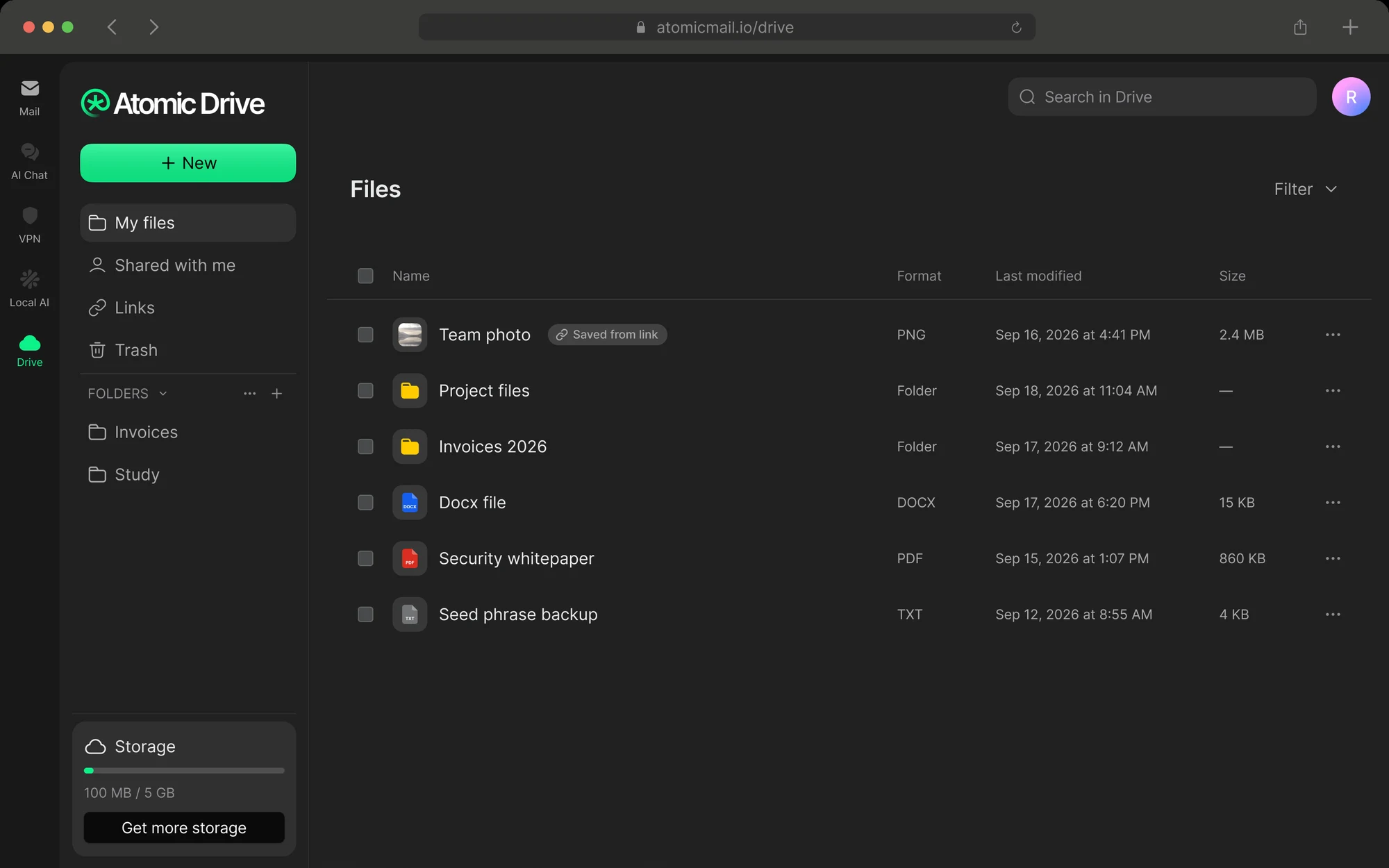


What you see. What we see
Scroll, and watch your files turn into something only you can read. This is all our servers ever get. It’s also all we could ever hand over


Invisible to us
Contents. Names. File types. Previews. The dates you set. Your search index. All of it, encrypted

Visible to us
How many blocks you store and how big they are. When you upload and download. Your folder tree, without a single name. Who shares with whom. We publish this list in our privacy policy
Encrypted before it ever leaves your device
Four things happen every time you add a file. All you see is a progress bar
- 1

Sealed on your device
Every file gets its own random 256-bit key. Even a 20 GB video encrypts as it streams, without slowing you down
- 2

Split into blocks
Your file travels in 4-8 MB blocks, each sealed with AES-256-GCM. Storage sees only random IDs. No names. No owner. No paths
- 3

Keys inside keys
Each file key is locked by its folder’s key, every folder by your account key. Your password never reaches us
- 4

Opened only by you
Previews, thumbnails and search are built on your device. A signed block list makes sure the file you open is the file you saved
Share with anyone, even if they don’t use Atomic
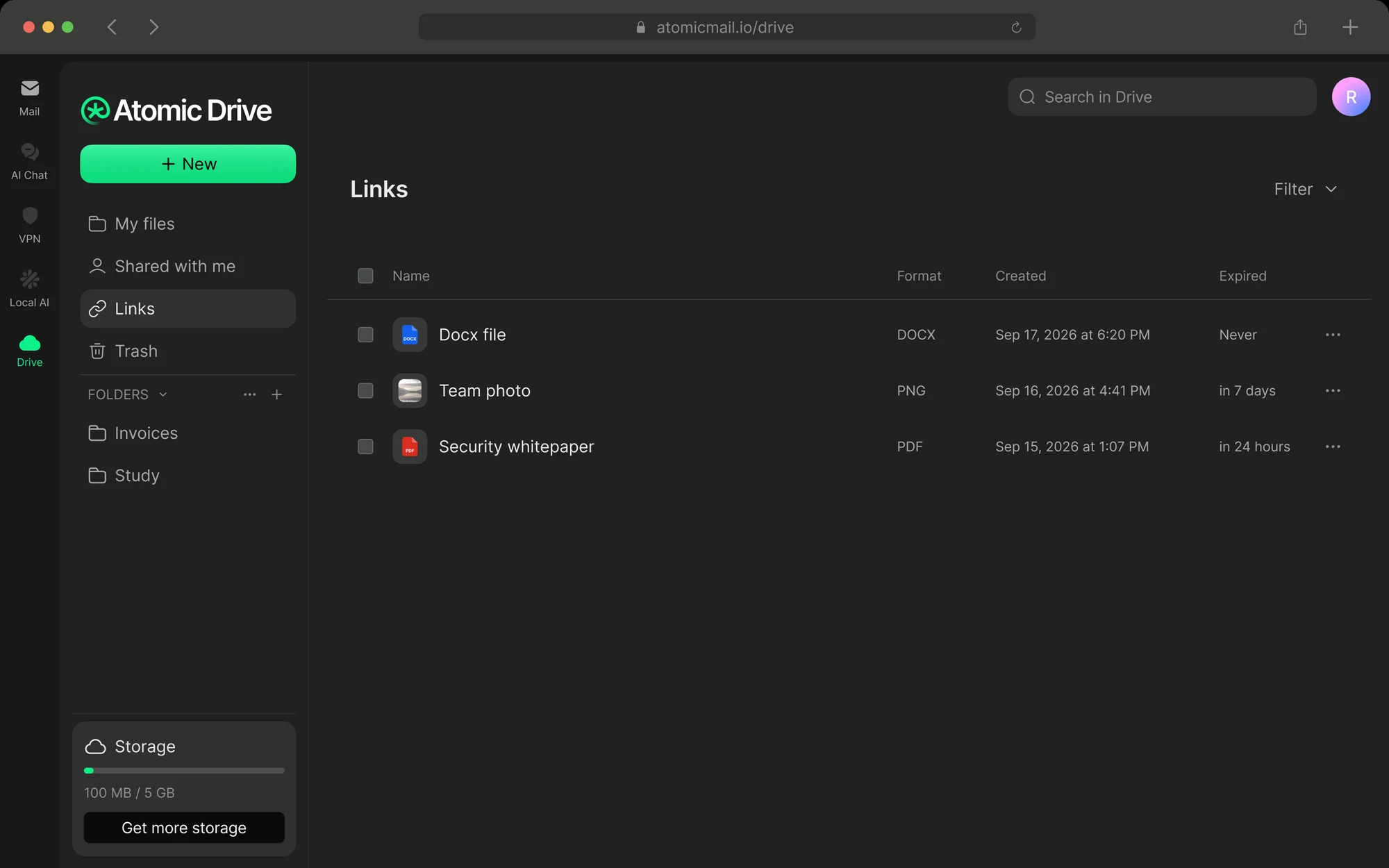
Viewer access by default. Links that expire when you decide. Every link in one list, one click from off

Inside Atomic
Access is sealed with the recipient’s own key. They can view. They can edit only if you say so

Gmail, Outlook, anyone
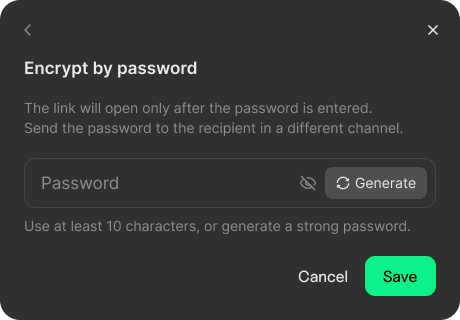
They get the link. You send the password another way, by text or messenger. Their inbox never sees both

Guessing gets nowhere
Ten wrong passwords lock the link for an hour, and you hear about it. We check the password without ever learning it
Effortless on the other end, too
Your file opens on its own page, on a separate domain, and decrypts right in their browser. No account needed
- 1

Enter the password
Until then, the page shows just two things: who shared it, and when the link expires
- 2

Look inside
Zoom into images. Read PDFs. Stream video and audio. Anything else is one click from download
- 3

Take it with them
The file decrypts as it downloads, straight to disk
- 4

Keep a copy
One click saves it to their own Drive. No Atomic account yet? They can sign up right there
An expired, revoked or deleted link opens the same quiet page. It doesn’t even reveal that a file existed
Right next to your inbox
Mail, AI Chat, VPN and Drive. One Atomic account. Files move between them and never leave encryption

Attach from Drive
Pick a file as you write. Send it as a link or a regular attachment. Access is granted the moment you hit send

Too big for email? Not anymore
Large attachments upload to Drive while you type, with progress right in the composer. Recipients get a file card to open, download or save

Save any attachment
One click puts it in the folder you choose, re-encrypted with a fresh key. Or save every file from an email at once
Encrypted is not the same as private
Google Drive, OneDrive and Dropbox encrypt your files. They also keep the keys. We don’t

Who can read your files
End-to-end encryption
File names hidden from the provider
Email in the same account
If you forget your password
Company based in

Who can read your files
End-to-end encryption
File names hidden from the provider
Email in the same account
If you forget your password
Company based in

Who can read your files
End-to-end encryption
File names hidden from the provider
Email in the same account
If you forget your password
Company based in


Choose your space. Privacy comes standard
Three plans. The same end-to-end encryption on every one. Take Drive on its own, or get it with Atomic Mail Plus
Drive Plus
Atomic Drive only · 200 GB
$3.33/ month
$39.99 billed yearly · save 17%
- 200 GB of encrypted storage
- End-to-end encryption on every file
- Password-protected sharing with anyone
- Recovery phrase restores your keys
- File names and previews hidden
Drive Pro
Atomic Drive only · 2 TB
$11.99/ month
$143.88 billed yearly · save 20%
- 2 TB of encrypted storage
- End-to-end encryption on every file
- Password-protected sharing with anyone
- Recovery phrase restores your keys
- File names and previews hidden

Atomic Plus
Mail Plus, AI Suite and Drive · 200 GB
$5.00/ month
$59.99 billed yearly · save 17%
Drive · 200 GB. Everything in Drive Plus, included with your mail
Privacy-first email
- 150 Hide My Email addresses
- Custom email signatures
- 15 aliases
- Write and summarize with AI Suite
- Security helper
Drive Plus
Atomic Drive only · 200 GB
$3.99/ month
Billed monthly
- 200 GB of encrypted storage
- End-to-end encryption on every file
- Password-protected sharing with anyone
- Recovery phrase restores your keys
- File names and previews hidden
Drive Pro
Atomic Drive only · 2 TB
$14.99/ month
Billed monthly
- 2 TB of encrypted storage
- End-to-end encryption on every file
- Password-protected sharing with anyone
- Recovery phrase restores your keys
- File names and previews hidden
Atomic Plus
Mail Plus, AI Suite and Drive · 200 GB
$5.99/ month
Billed monthly
Drive · 200 GB. Everything in Drive Plus, included with your mail
Privacy-first email
- 150 Hide My Email addresses
- Custom email signatures
- 15 aliases
- Write and summarize with AI Suite
- Security helper
Atomic Drive for business
Included with Atomic Mail business plans. Every employee gets their own encrypted Drive. Your company stays in control

Storage with every seat
Space comes with the mail plan. Need more? Employees ask their admin, right from Drive

Your rules for sharing
Company only. Any Atomic address. Or outside addresses with a password. Files from outside are always labeled

People leave. Files stay
With the organization key, an admin can hand a departing employee’s files to a colleague or the company archive. Employees can see this in their settings
We can’t leak what we can’t read

A shared link can’t reach your inbox
Shared files open on their own domain, walled off from your mail. A bad link stays a dead end

Close the tab. Keys are gone
Decrypted keys live only in your open session. Sign out, and there’s nothing left to steal

Deleted means unrecoverable
Delete forever destroys the keys, not just the file. No one can bring it back, including us

No backdoor through support
We can’t reset your keys, so no one can talk us into it. Your recovery phrase is the only way in
Your files. Your keys
Drive Plus from $3.33 a month. Or Drive Pro: 2 TB for your whole archive
Questions & Answers
